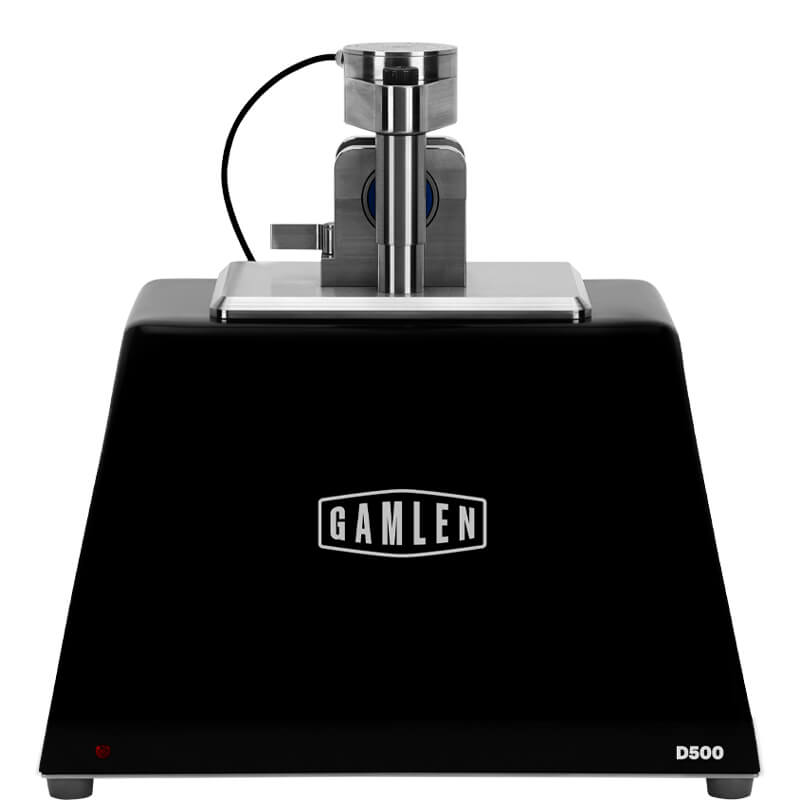

Tablet QC check station
CHECKA
Check a batch of finished tablets against your specification in minutes. CHECKA captures weight, thickness, diameter and breaking force from the bench instruments, calculates tensile strength and gives a pass or fail against the limits you set.
- Weight, thickness, diameter and breaking force captured from the balance, micrometer and TTA
- Tensile strength calculated and checked against the specification
- Batch summary with pass rate, outliers and running statistics
- Batch report exported for the record
Quotes are prepared by a Gamlen scientist, not a sales desk. Typical reply within one working day. Worldwide shipping, installation and training available.
Overview
Every tablet checked, every result recorded
A tablet check should be quick, consistent and impossible to get wrong. CHECKA runs on a screen beside the bench: select the batch and its specification, then test each tablet in turn. Weight, thickness, diameter and breaking force are captured automatically, tensile strength is calculated, and each tablet is marked pass or fail against the limits on screen.
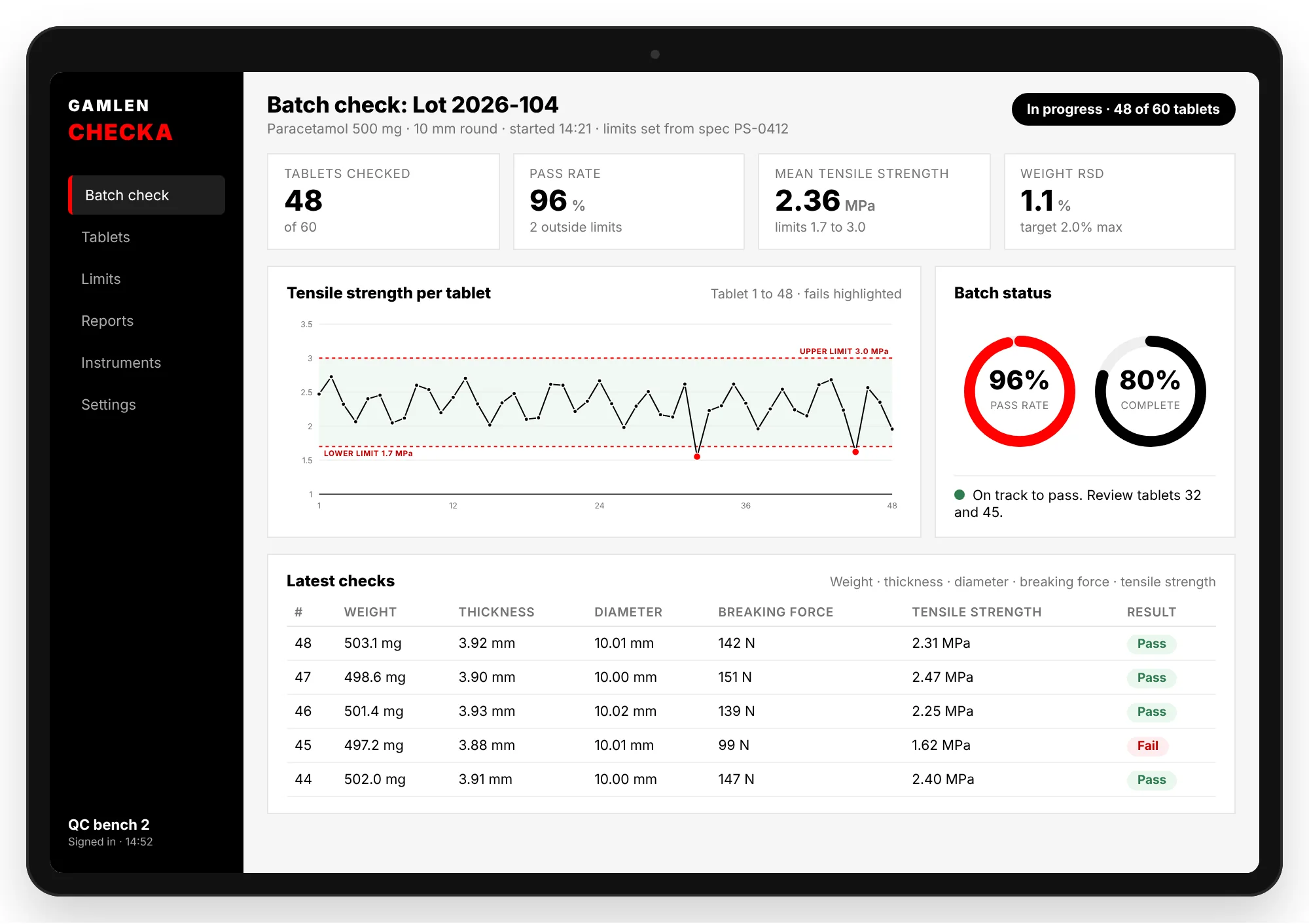
The batch builds up as you go: pass rate, running mean, weight RSD and a tensile strength trace with any outliers highlighted. When the sample is complete the batch report is ready to export, with every measurement and limit recorded.
Because CHECKA uses the same tensile strength calculation as the Gamlen D-Series and Dashboard NOVA, QC results compare directly with the development data for the same product.
Applications
From release testing to stability studies, these are the jobs a bench-side check station does.
Select. Test. Pass.
One screen per tablet, one summary per batch.
Select the batch
Choose the lot and the specification. The weight, dimension and tensile strength limits load onto the screen so every operator tests to the same rules.
Test each tablet
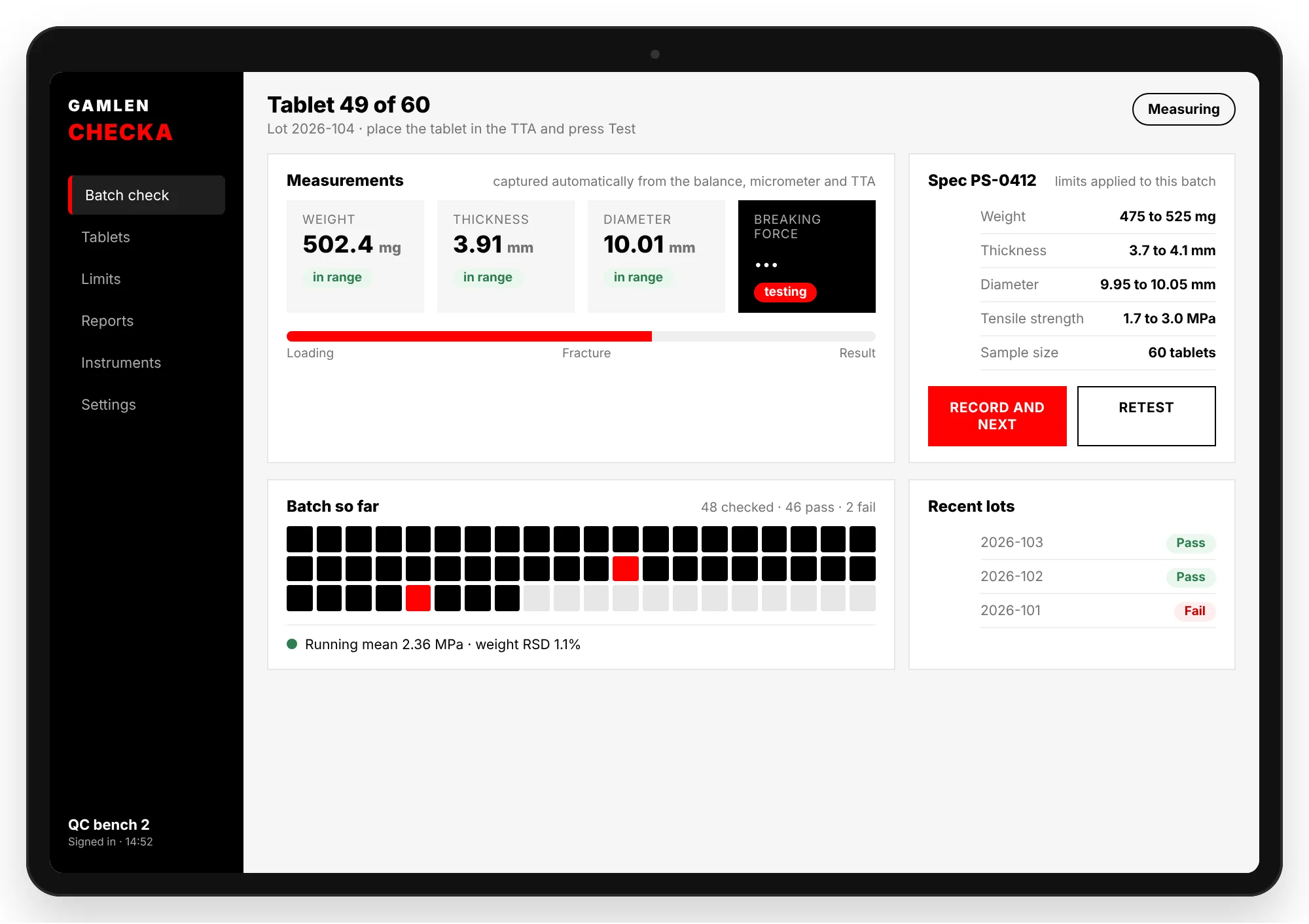
Weigh, measure and break the tablet. Each value is captured as it is taken and checked against its limit; tensile strength is calculated from the breaking force and the tablet dimensions.
Pass or fail, instantly
Each tablet is marked pass or fail on screen. Fails are flagged on the batch trace so they can be reviewed or retested before the batch is closed.
The batch report
Pass rate, running statistics and every individual result in one report, exported for the batch record.
- Pass rate and outliers
- Every measurement recorded
- Export for the batch record
Why it works
What a dedicated check station does that a hardness tester and a spreadsheet cannot.
One screen per tablet
Each tablet gets its own check screen: the four measurements, each marked in or out of range as it is captured, and a record-and-next button. There is nothing to type and nothing to transcribe, so the result is the same whoever is on the bench.
- Measurements captured automatically
- Limits shown beside every value
- Record and next, or retest
The batch at a glance
The batch screen shows tablets checked, pass rate, mean tensile strength and weight RSD, with a tensile strength trace that highlights any tablet outside the limits. Operators and supervisors see the same picture.
- Pass rate and running statistics
- Fails highlighted on the trace
- Latest checks in a table
Built on Gamlen measurement
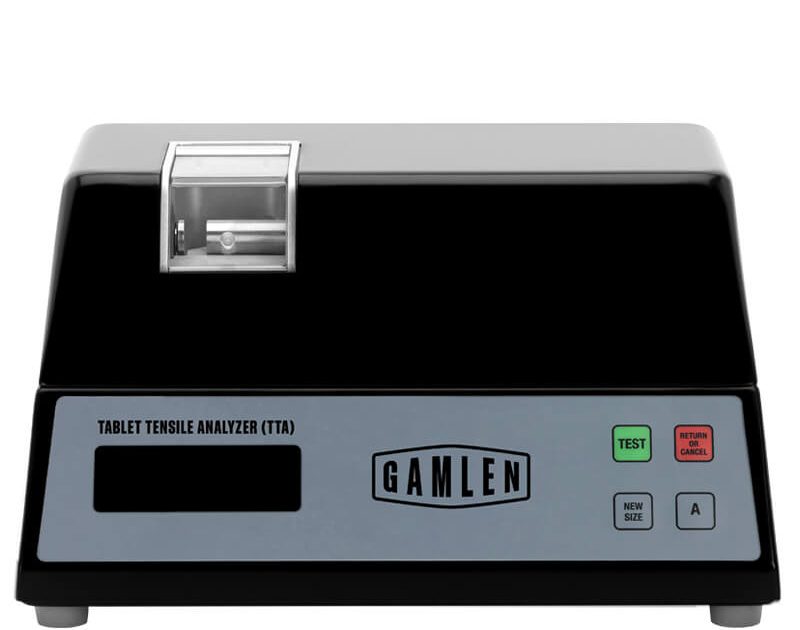
CHECKA takes its breaking force from the Gamlen TTA, which fractures the tablet slowly to give a true tensile fracture stress, and uses the same calculations as the D-Series and Dashboard NOVA. QC results and development data sit on one scale.
- Breaking force from the Gamlen TTA
- Same tensile strength calculation as the D-Series
- Comparable across tablet sizes and shapes
Specifications
At a glance
Full specification sheet available in the brochure. Ask us about configuration options and compliance packs.
| Measurements captured | Tablet weight, thickness, diameter, breaking force |
|---|---|
| Calculated | Tensile fracture stress; batch pass rate, mean and RSD |
| Limits | Per specification: weight, dimensions, tensile strength; sample size |
| Instruments | Balance, micrometer and Gamlen TTA (automated capture) |
| Reporting | Batch report with every result and limit, exported for the record |
| Compliance | 21 CFR Part 11 option |
Request a quote
Tell us what you want to measure
A scientist, not a sales desk, prepares every quote. Tell us the material and the problem and we will recommend the right configuration.
- 01You send a short brief (the quote form or a call).
- 02We recommend a configuration and send a written quote, usually within one working day.
- 03Optional demonstration on your own powder, remote or in our London lab.